✅ FULL KSPR BRIDGE SETUP & WALLET GUIDE
✅ FULL KSPR BRIDGE SETUP & WALLET GUIDE
🚀 Step 1: Open the Main KSPR Bot
Start by opening this link in Telegram:
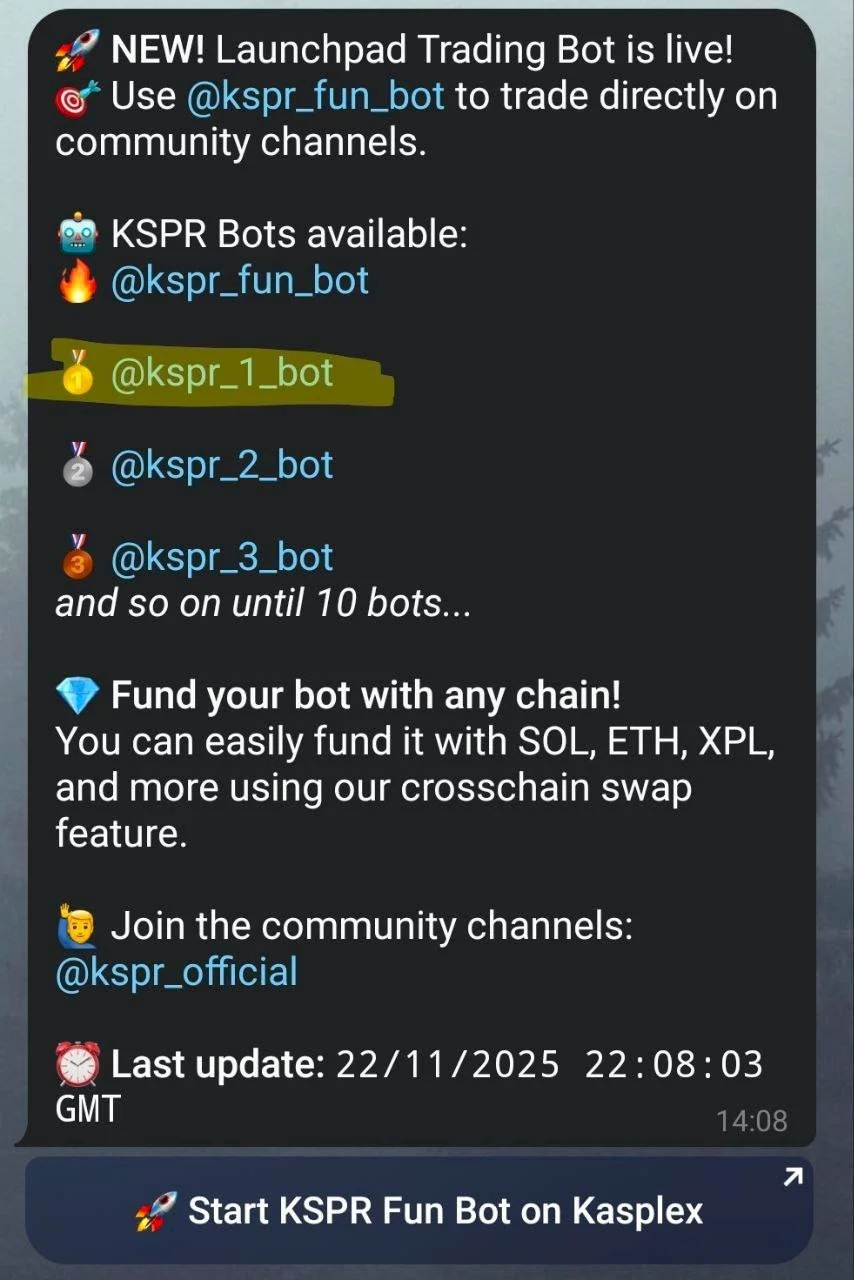
This takes you to the KSPR home setup bot.
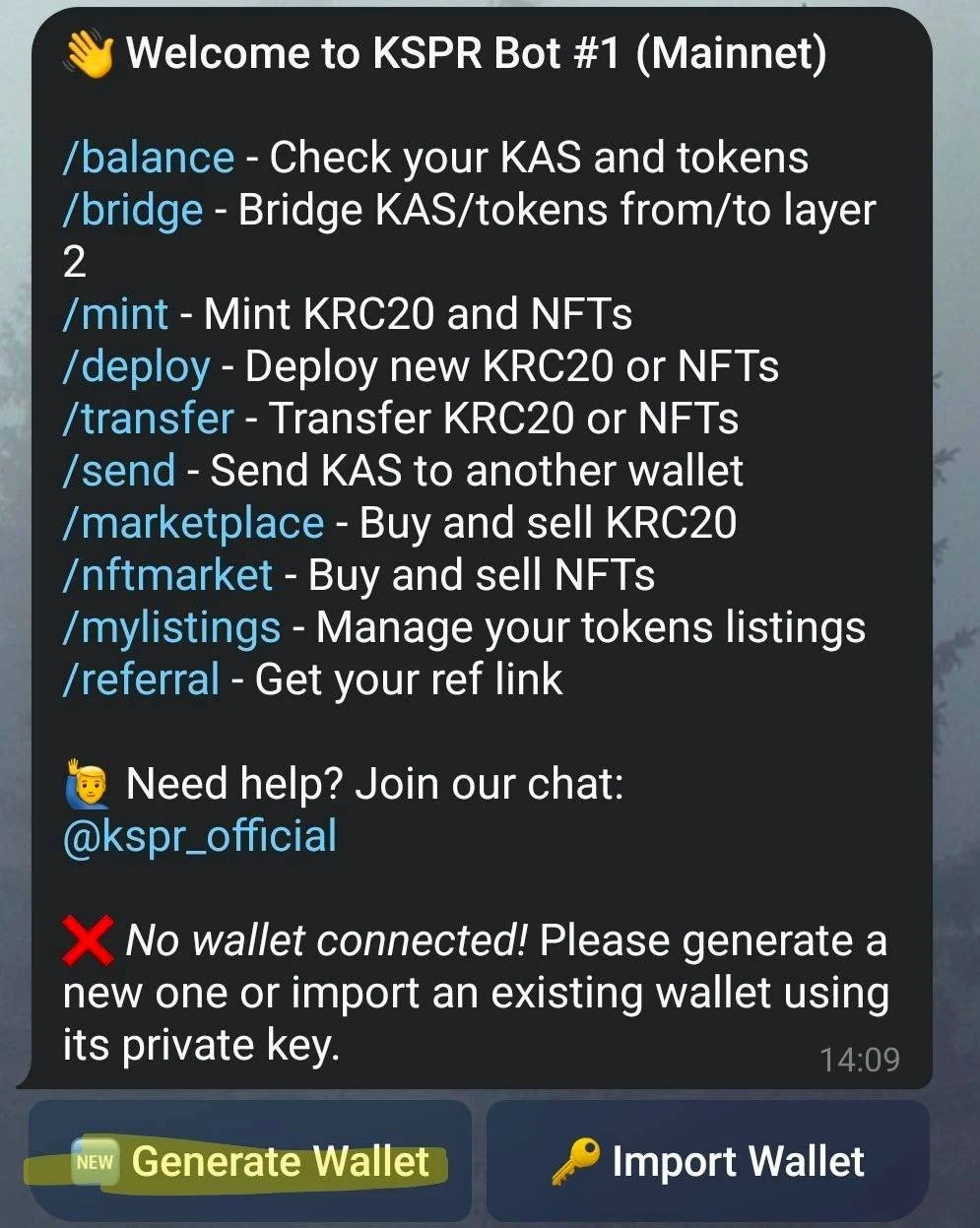
📝 Step 2: Generate a Multi-Chain Wallet
Inside the bot:
Press Generate Wallet
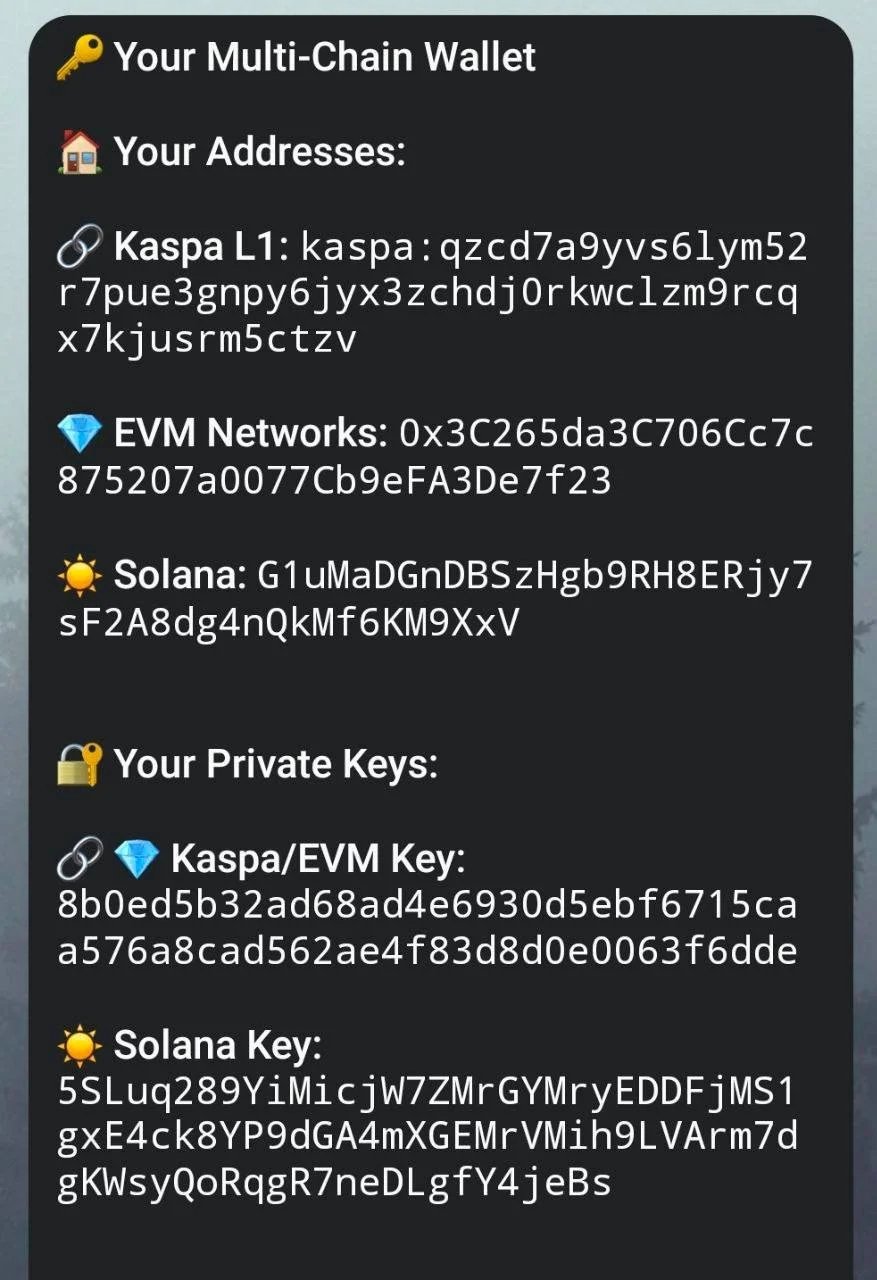
It will create:
Kaspa L1 address
EVM (Kasplex) address
Solana address
Private keys for all networks
⚠ Save your private key safely.
This is required later when importing the wallet.
💰 Step 3: Fund Your Wallet
Send to your newly generated wallet:
The KAS you want to bridge
Extra KAS for gas fees on both L1 & L2
🤖 Step 4: Switch to the Trading Bot
Go to the highlighted bot:
👉 @kspr_1_bot
This is the main KSPR trading & bridging bot.
🔐 Step 5: Import Your Wallet
In the bot menu you will see:
Generate Wallet
Import Wallet
Tap Import Wallet, paste the private key you saved.
Now your wallet is connected.
🌐 Step 6: Connect Your Wallet on LFG
Open this link in your browser:
Then:
1. Tap Connect Wallet
2. Choose the wallet you just imported to MetaMask
⚙ Step 7: Add Kasplex Network Manually (If Needed)
If MetaMask does NOT automatically detect Kasplex:
1. Open MetaMask
2. Go to Networks
3. Tap Add Custom Network
4. Enter the following:
Network Name: Kasplex
RPC URL: https://evmrpc.kasplex.org
Chain ID: 203555
Symbol: KAS
Block Explorer: https://explorer.kasplex.org
Save the network.
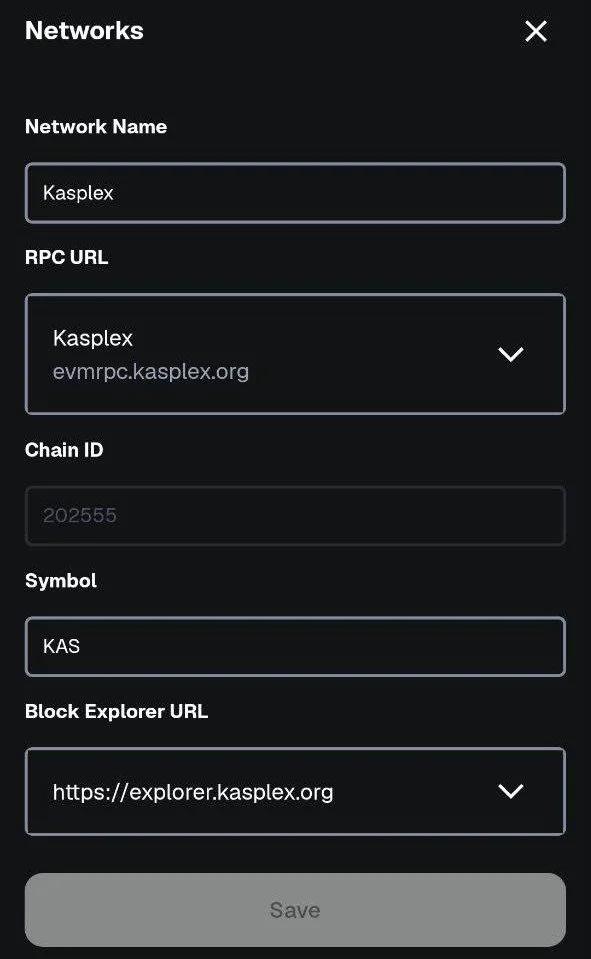
Now switch MetaMask to Kasplex.
📲 Step 8: Go Back to Telegram Bot & Start the Bridge
In the KSPR bot, type:
👉 /bridge
This opens the bridging menu.
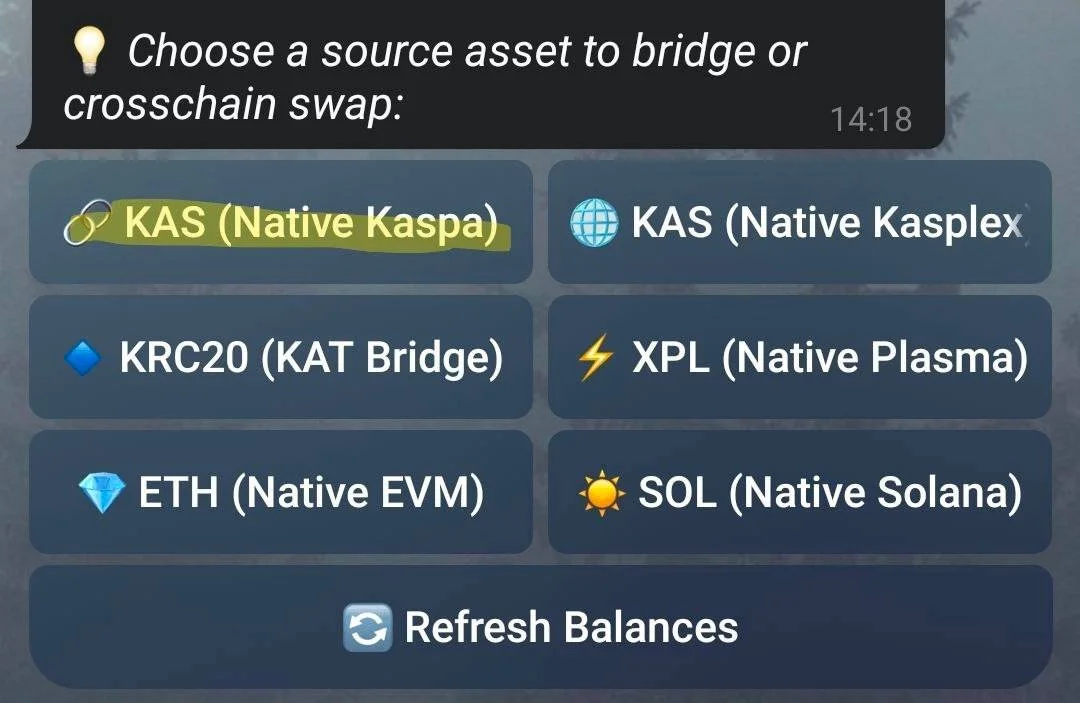
🔄 Step 9: Choose Source Asset (Where Funds Are)
Select:
✔ KAS (Native Kaspa) as the source
(this is where your funds are coming from)
➡ Step 10: Choose Destination Network
Select:
✔ KAS (Native Kasplex)
This means your bridged KAS will arrive on Kasplex.
💵 Step 11: Enter Amount & Confirm
Type the amount you want to bridge
Confirm
Wait about 1 minute
Then your bridged balance will appear:
✔ In your MetaMask wallet on Kasplex
✔ Inside the KSPR bot balance
🔁 Step 12: Sending Back from L2 to L1
Once everything is set up, sending KAS back and forth becomes super easy.
